
First sign-in
The server is up and connected. Three things remain before it is useful: someone who can sign in, a token for workers, and a check.
1. Sign in
Members of the organization the server is connected to choose Sign in with JoobQ at https://jobs.example.com/ui/ and get their portal role (viewer, operator or admin). No account has to be made for them.
Local accounts work beside it. Sign-up is closed by default, so the first local account is made from the command line, with the server's environment. The first account is an admin:
./joobqui accounts:create admin@example.com admin            # password from JOOBQUI_ACCOUNT_PASSWORD, or asked twice
./joobqui invites:create 7 --role operator                    # a one-use sign-up invite code, valid 7 days
In Compose, run them in the server's container: docker compose -f deploy/selfhosted.compose.yml --env-file deploy/.env exec app ./joobqui accounts:create ....
Keep one local admin even when everyone signs in with JoobQ or single sign-on: it is the way in when the provider is down. See Accounts, SSO, 2FA, roles.
2. Set the SDK token
Workers in the nine SDK languages authenticate with one token. As an admin, open Settings → Security, set SDK gateway token to a long random value and save. It applies within seconds, on every instance.
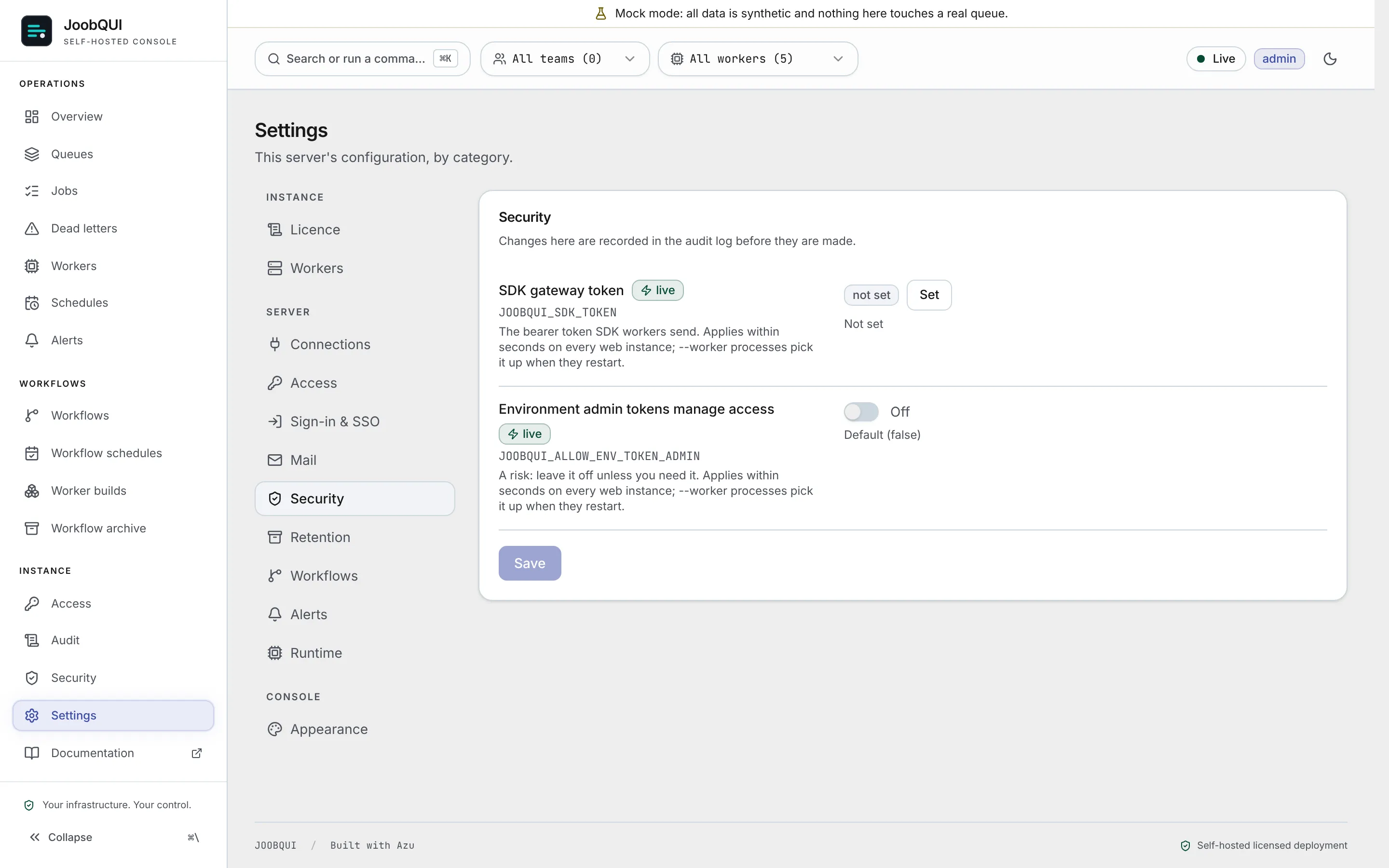
openssl rand -hex 32Until it is set the gateway answers 503 sdk_token_not_configured. A token shorter than 32 characters is refused.
3. Check
./joobqui doctor            # database, Redis, session secret, licence
./joobqui license:status    # eligible, status, tier, seats, paid_until
Next
- Connect a worker: Workers.
- Mail, for password resets and email alerts: Settings → Mail (Settings in the console).
- A Prometheus scrape and what to alert on: Monitoring.
- Backups, before the first real job: Backups and retention.